# WebSocket
WebSocket is an API technology that enables full-duplex communication over a single TCP connection. Compared to traditional HTTP requests, WebSocket offers lower latency and higher efficiency, making it ideal for scenarios requiring persistent connections and real-time data transmission, such as online gaming, real-time chat, live notifications, and collaborative applications.
:::tip[Version Requirement]
WebSocket API management is supported in Apidog version 2.2.34 and later.
:::
## Creating a WebSocket Endpoint
You can create a WebSocket endpoint within an HTTP project.
1. Click the **"+"** button on the left and select **"New WebSocket"**
2. Enter the WebSocket server URL, beginning with `ws` or `wss`
3. Click **"Connect"**
4. To disconnect the WebSocket endpoint, click **"Disconnect"**
:::tip[Best Experience]
For the best experience and to utilize the full feature set of the WebSocket API, we recommend using the Apidog client.
:::
## Sending Messages
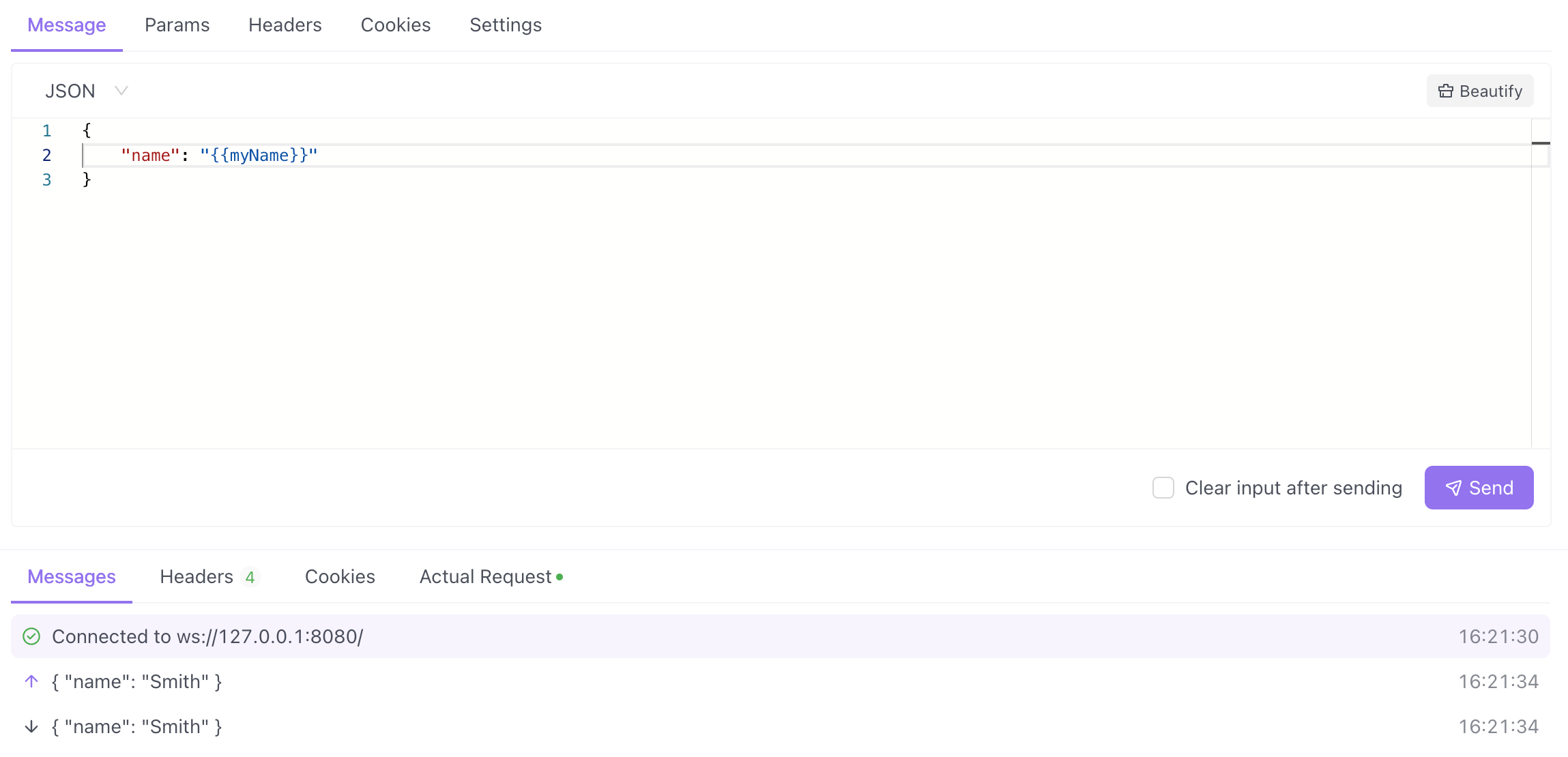
After establishing a WebSocket connection, you can compose messages under the **Message** tab.
### Supported Message Formats
| Format Type | Formats |
|-------------|---------|
| **Text Formats** | Text, JSON, XML, HTML |
| **Binary Formats** | Base64, Hexadecimal |
The editor applies syntax highlighting to the message content based on the selected message format. For `JSON`, `XML`, or `HTML` formats, you can also format the input content.
## Viewing Messages
The **Messages** section displays the connection status, sent messages, and received messages in chronological order.

Click a single message to view its details on the right:
| Message Type | Default Display | Additional Options |
|--------------|-----------------|-------------------|
| **Text Format** | Formatted message | Manually switch message format and encoding |
| **Binary Format** | Hexdump | View Base64 encoding or original message |
## Adding Handshake Request Parameters
You can customize the parameters required during the WebSocket handshake, such as **Params**, **Headers**, and **Cookies**, to accommodate authentication or other complex scenarios.

:::warning[Timing Constraint]
Handshake request parameters cannot be modified once the connection is established. They must be configured before establishing the connection or after disconnecting.
:::
## Using Variables
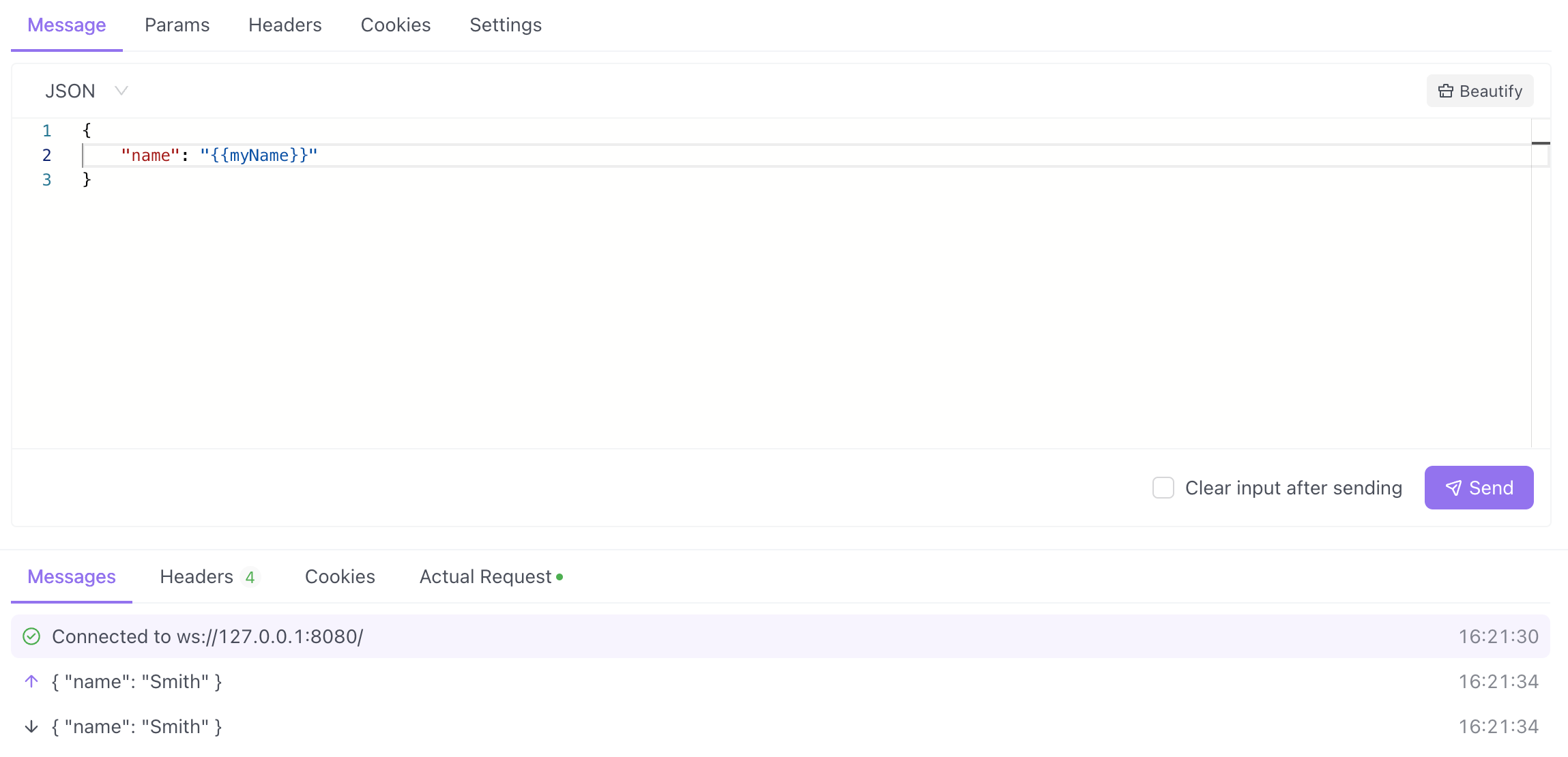
You can use Apidog variables in the WebSocket connection's handshake and messages. Learn more about [Using variables](https://docs.apidog.com/using-variables-577908m0.md).
## API Documentation
You can set the **status**, **responsible person**, and **tags** for the WebSocket API, and provide a detailed API description in **Markdown** format.
You can also share the WebSocket API documentation with external teams, who can view it directly in their browser.
## Saving the API
After debugging is complete, click the **"Save"** button to save the WebSocket API to the directory tree of the HTTP project. This allows other team members to debug or view the API documentation.

## FAQ
For WebSocket requests, the HTTP status code must be `101` when establishing a connection, indicating a successful protocol upgrade. Therefore, validating the status code is typically not necessary.
Currently, two methods are recommended for WebSocket API authentication:
1. Pass the authentication information in a `Param`, `Header`, or `Cookie` field during the connection establishment
2. Include the authentication information in a field within a message
Not yet, but this functionality is currently being designed and developed.
Not currently, but this feature will be evaluated for future iterations.
The current mocking library does not support WebSocket API definitions and therefore cannot generate message bodies based on the definition.